Starting with Unreal Engine 5.8, an official MCP integration called Unreal MCP is available as an experimental feature.

When I previously tried VibeUE, Unreal Editor sometimes crashed, and it took several attempts to get the implementation I wanted. With Unreal MCP, however, Codex completed the implementation in a single interaction, so I decided to document the setup and results.
Environment
- macOS: 26.5.1 (25F80)
- Unreal Engine: 5.8.0
- Unreal MCP: 1.0
- EditorToolset: 1.0
- Codex: v0.139.0
- Model: GPT-5.5
Enabling Unreal MCP
1. In Unreal Editor, create a new Blueprint-based Third Person project from New Project.
2. Select Edit → Plugins, search for Unreal MCP, and enable it. Then restart Unreal Editor.
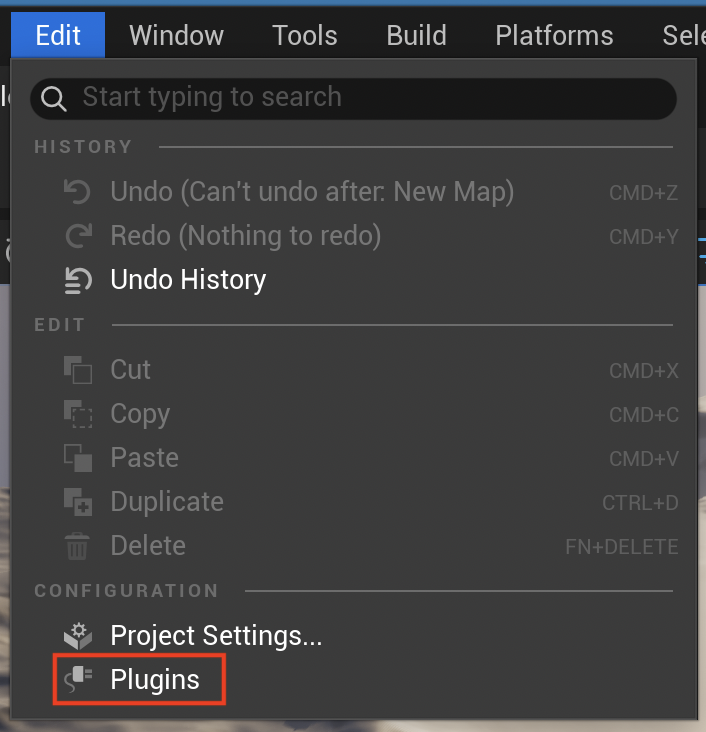
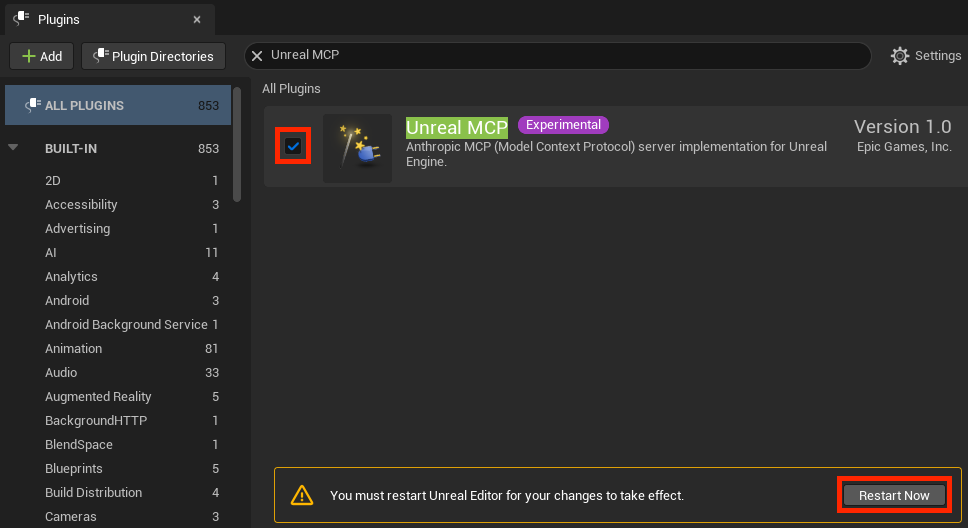
3. Select Edit → Editor Preferences, find Model Context Protocol → Auto Start Server, and enable it.
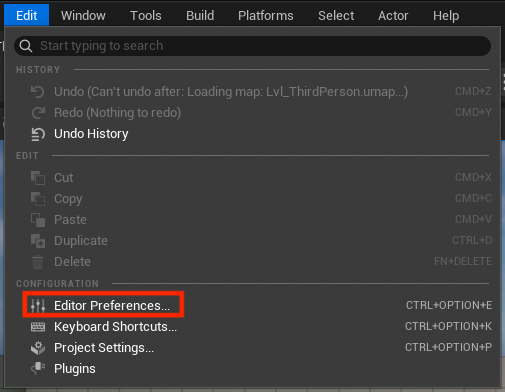
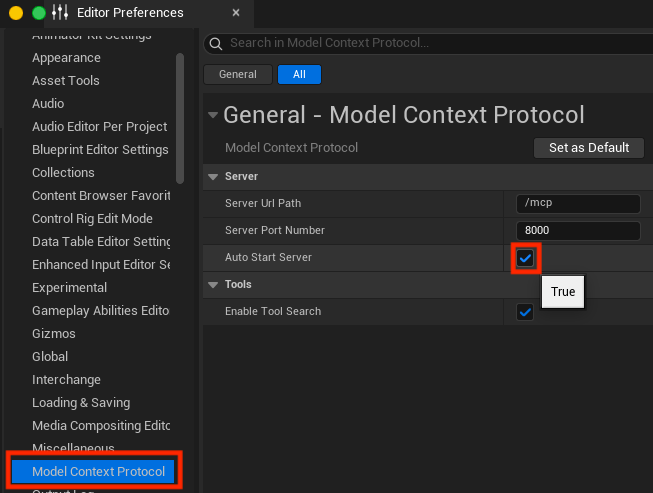
After restarting Unreal Editor, the MCP server should start automatically.
However, note that this plugin only provides the MCP server itself. You must also enable the plugin described in the next step. Otherwise, coding agents will not be able to control Unreal Editor through MCP.
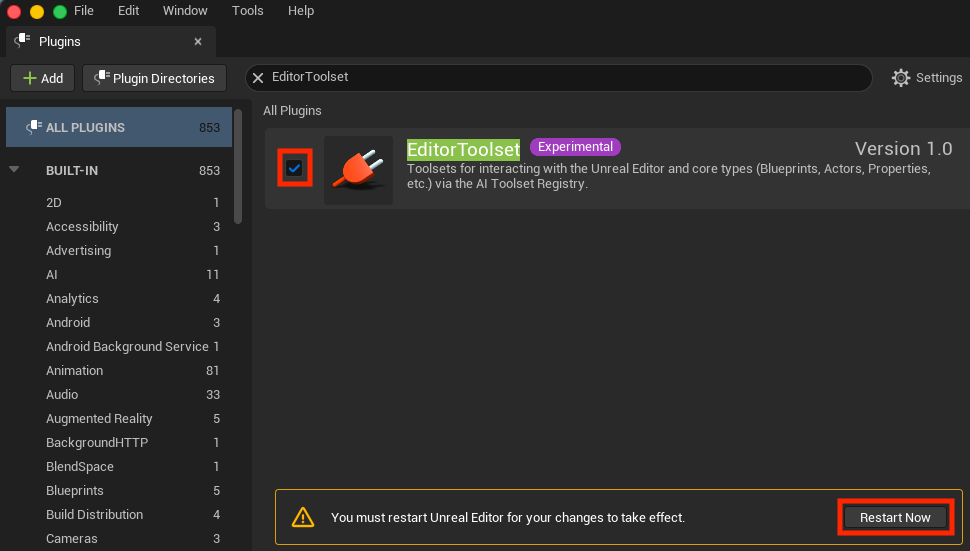
4. Select Edit → Plugins, search for EditorToolset, and enable it. Then restart Unreal Editor.
5. Verify that the MCP server is running by sending a request to it:
% curl -v http://127.0.01:8000/mcp
*   Trying 127.0.0.1:8000...
* Connected to 127.0.0.1 (127.0.0.1) port 8000
> GET /mcp HTTP/1.1
> Host: 127.0.0.1:8000
> User-Agent: curl/8.7.1
> Accept: */*
>
* Request completely sent off
< HTTP/1.1 405
< keep-alive: timeout=15.000000
< content-length: 0
<
* Connection #0 to host 127.0.0.1 left intact
The server is running if it returns an HTTP 405 response instead of a connection error such as:
curl: (7) Failed to connect to 127.0.0.1 port 8000 after 0 ms: Couldn't connect to server
Configuring Codex
Create the Codex configuration file, config.toml, and the optional default.rules file in the project directory.
Use the following commands to create empty files:
mkdir -p .codex/rules
touch .codex/config.toml .codex/rules/default.rules
Configure config.toml as follows:
sandbox_mode = "workspace-write"
approval_policy = "never"
model_reasoning_summary = "detailed"
model_reasoning_effort = "xhigh"

[mcp_servers.UnrealMCP]
url = "http://127.0.0.1:8000/mcp"
startup_timeout_sec = 30
tool_timeout_sec = 60

[mcp_servers.UnrealMCP.tools.call_tool]
approval_mode = "approve"

[sandbox_workspace_write]
network_access = false
The only configuration strictly required for Unreal MCP is the mcp_servers.UnrealMCP section. I added the other settings for the following reasons:
- Automatically approve Unreal MCP operations requested by Codex
- Restrict file writes outside the workspace
- Disable network access from shell commands
- Show detailed reasoning summaries
- Use the
xhighreasoning effort level
In default.rules, I added permission for the command used to run tests. I also added restrictions for sudo and rm -rf, which I normally use in every project:
prefix_rule(
  pattern = ["sudo"],
  decision = "forbidden",
  justification = "Never run sudo from Codex.",
)

prefix_rule(
  pattern = ["rm", "-rf"],
  decision = "prompt",
  justification = "Recursive deletion must be reviewed manually.",
)

prefix_rule(
  pattern = ["rm", "-fr"],
  decision = "prompt",
  justification = "Recursive deletion must be reviewed manually.",
)

prefix_rule(
  pattern = [
    "/Users/Shared/Epic Games/UE_5.8/Engine/Binaries/Mac/UnrealEditor-Cmd",
    "/Path/To/Project/<Project Name>.uproject",
    "-nullrhi",
  ],
  decision = "allow",
  justification = "Allow command-line Functional Testing for this Unreal project.",
)
To verify that Codex can control Unreal Editor through the MCP server, try a simple prompt such as:
In Unreal Editor, create a sphere and a cube next to each other at the center of the level.
Asking Codex to Develop a Simple Game
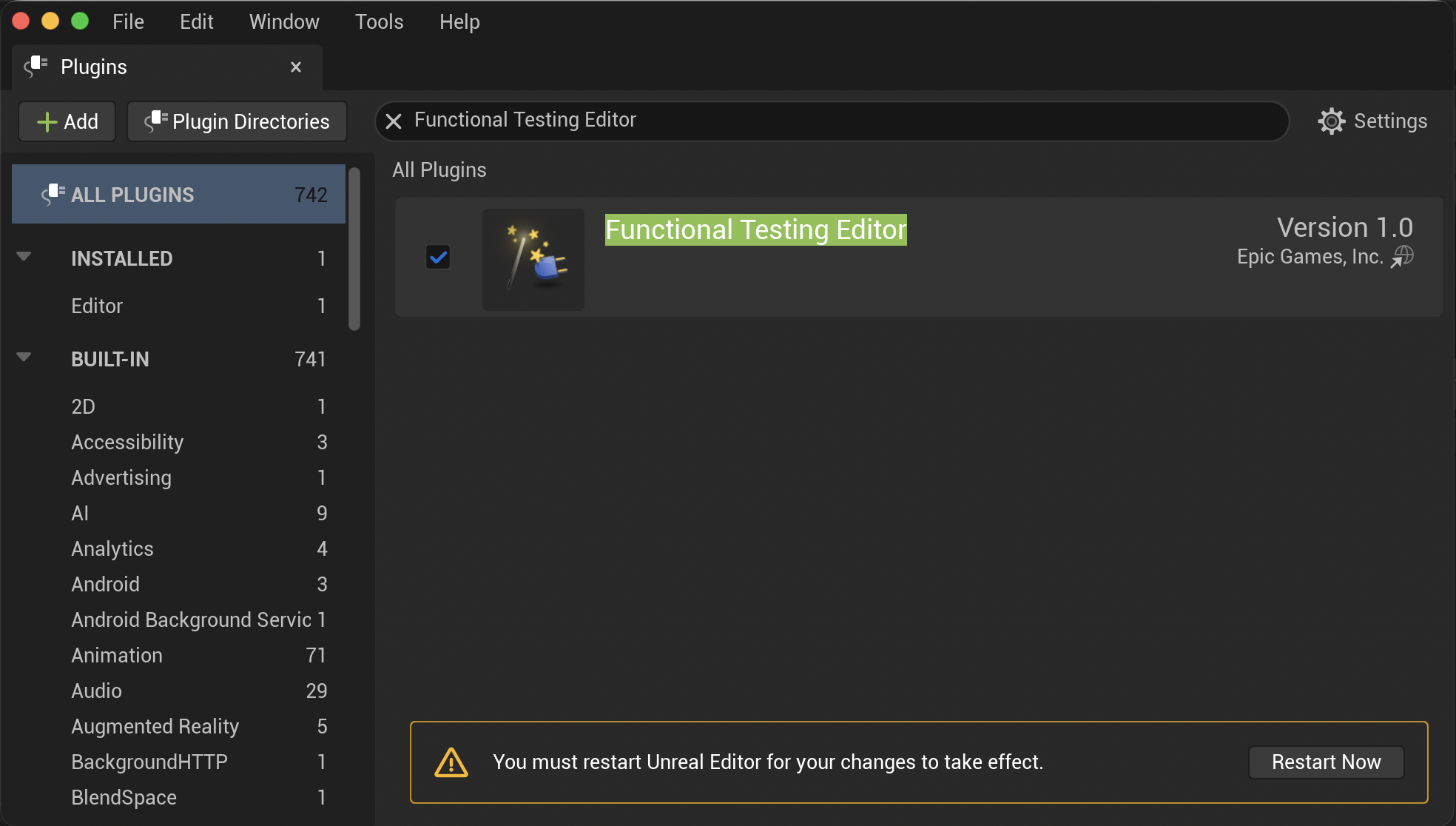
1. Because I wanted Codex to create Functional Test cases, I enabled the Functional Testing Editor plugin first, although this step itself does not require AI.
Select Edit → Plugins, enable Functional Testing Editor, and restart Unreal Editor.
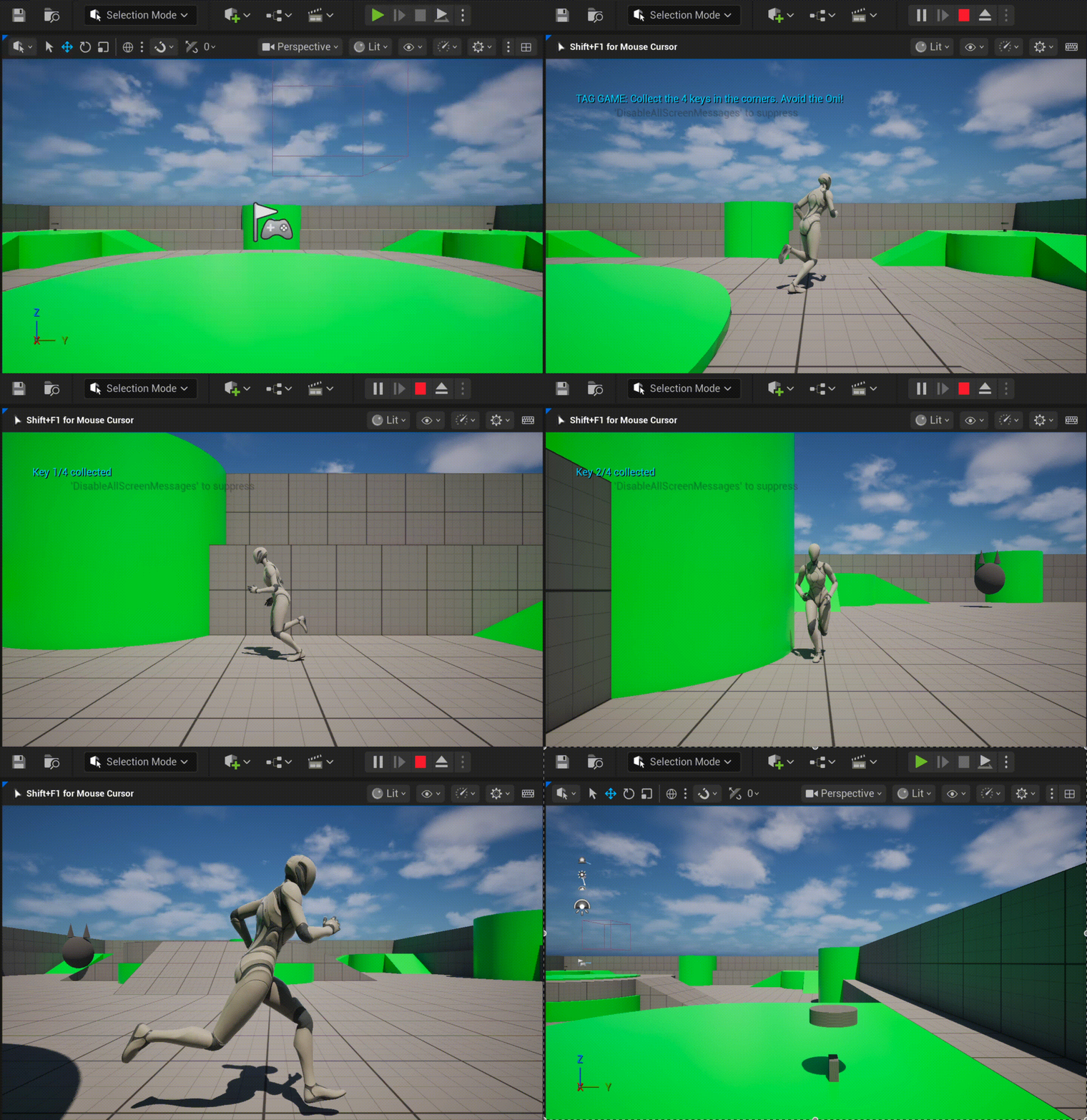
2. Ask Codex to develop a simple game. If you previously asked it to create temporary objects such as a sphere or cube for testing, you can also ask it to remove them.
I used the following prompt:
Could you create the simplest possible 3D tag game using Blueprints in the current Unreal Engine level?
The player clears the game by collecting four keys located in the four corners without being caught by the Oni.
When adding 3D objects that are not already present in the current level, basic geometric shapes are sufficient.
Please also create Functional Test cases covering the major game states and ensure that all tests pass.
Use the Unreal MCP server to operate Unreal Engine.
3. To verify the Functional Tests, select Tools → Test Automation. Then select and run the tests at the lowest level under Project → Functional Tests.
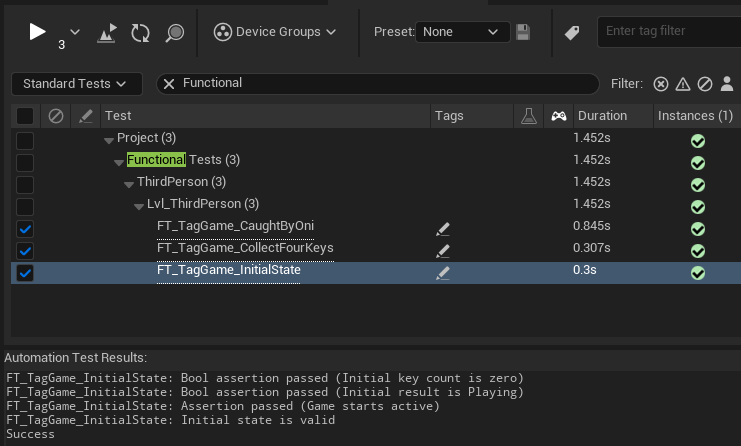
The tests passed successfully.
I found Unreal MCP and EditorToolset very easy to use, and game development through Codex went smoothly.